
Pango Build & Explore City
Studio Pango - Kids Fun preschool learning gamesEducational
3.716.00 Reviews
- Version
- 2.0.2
- Installs
- 50.00K
- Age Rating
- Everyone
Screenshots
Our Review of Pango Build & Explore City
 Analysis by Appyee
I’d approach Pango Build & Explore City as a shared play activity rather than a conventional city-management game. Its appeal is the chance to make a little place, then poke around and see what happens. That’s a gentle fit for young children who enjoy arranging things and inventing stories, and it gives adults an easy way to join in without needing to teach complicated rules.
The game is an educational title from Studio Pango - Kids Fun preschool learning games, aimed at Everyone. It has a 3.8 average from around 160 ratings and has been installed over 50,000 times. Those figures suggest a modest audience and a mixed reception, so I would treat them as context, not a guarantee that every child will respond the same way. The more useful question is whether its open-ended style matches the kind of play you want.
What the purchase means
The listed price is $5.99, so this is a paid game rather than a free download. I’d make the decision on that basis: consider whether a small, self-directed creative activity is worth that one-time outlay for your household. I wouldn’t assume there is a free tier, extra purchase, or subscription; the practical point is simply that the listed price is paid access.
That cost also changes how I’d compare it with free preschool games. Free alternatives can be useful for a quick trial, but they may rely on ads, prompts, or a more narrowly defined activity. Here, the reason to pay is the room to build and explore at the child’s own pace. If your child prefers clear levels, collectible rewards, or a goal to complete, the price may feel harder to justify.
Getting Started with Pango Build & Explore City
First things first, when you fire up Pango Build & Explore City, you’re greeted with an adorable and vibrant interface. The colors are bright, the characters are charming, and everything just screams fun. It’s like stepping into a cartoon world where you’re the mayor, architect, and adventurer all rolled into one.
The app is available on both Android and iOS, which is super convenient. A quick download, and you’re set to start your urban adventure. The game walks you through a simple tutorial, which is perfect for getting a hang of the controls. Trust me, even if you’re new to city-building games, you’ll be designing like a pro in no time.
Building Your Dream City
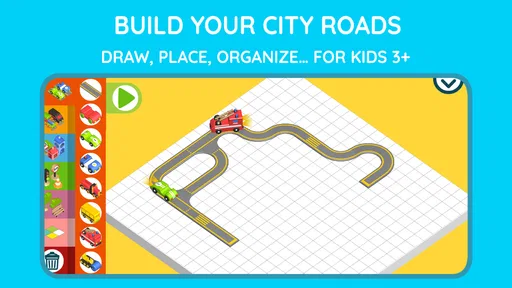
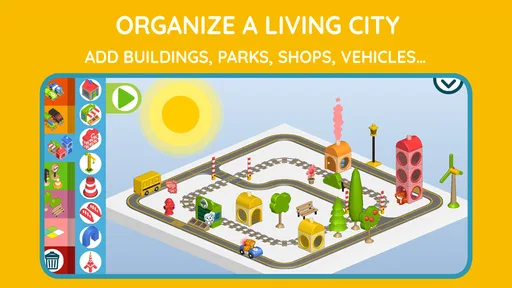
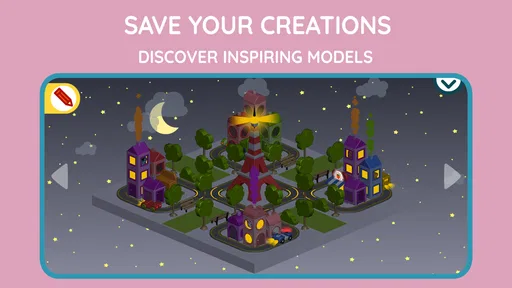
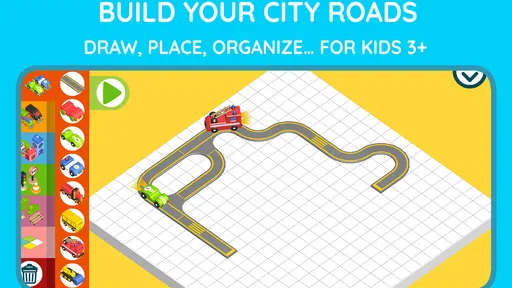
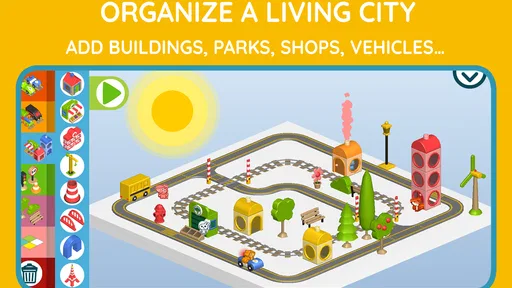
Once you’re past the initial setup, it’s time to let your creativity run wild. The building mechanics are intuitive. You can place roads, construct buildings, and even add little parks. The drag-and-drop functionality makes it super easy to arrange and rearrange your city layout. I found myself spending ages perfecting my little metropolis, making sure every character had their perfect spot to hang out.
For a young player, I’d resist the urge to arrange everything for them. Letting a child choose where a road or building goes can turn the layout into a story: perhaps a house belongs near a park, or a character needs a place to visit. If a design becomes cluttered, rearranging it can be part of the fun rather than a mistake to fix. This kind of play rewards experimentation more than planning a tidy, efficient grid.
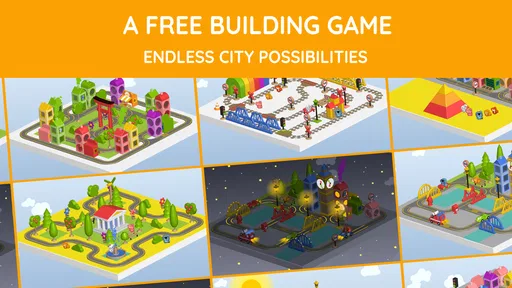
What’s cool is how Pango Build & Explore City offers a variety of structures and decor items. From skyscrapers to cozy homes, each piece adds character to your cityscape. Plus, there are fun little animations as the citizens of Pango City go about their day. It’s these small details that really make the game pop.
Exploration and Interaction
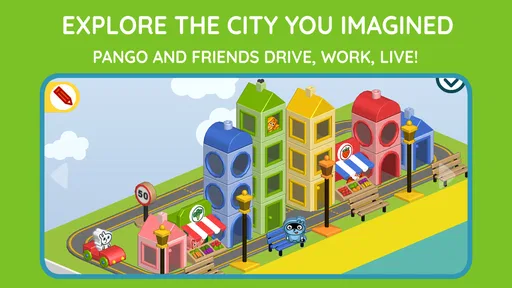
Building is just one part of the adventure. The exploration aspect of the game is where it truly shines. As you wander through your city, you can interact with various characters and objects. Each interaction reveals a bit more about the world, often in delightful and unexpected ways.
One useful way to play is to give a child a simple prompt, such as “What should we build first?” or “Where might this character go?” Then let the game take the conversation wherever their choices lead. It makes a short session feel purposeful without turning it into a lesson or imposing a win condition. For a caregiver nearby, that can be a pleasant way to encourage narration and turn-taking.
The app encourages curiosity. I found myself tapping on everything, eager to see what surprises were in store. From hidden treasures to quirky character dialogues, there’s always something new to discover. It adds a layer of depth and keeps the gameplay fresh and engaging.
That curiosity-first approach is also the main trade-off. Children who like explicit instructions, timed challenges, or a steady stream of unlocks may find the experience too loose. I’d choose a puzzle game or a level-based learning app instead if the goal is to practise a particular skill with clear progress markers. This is better suited to open-ended pretend play than to a structured lesson.
Sound, pace, and everyday use
I have to mention the graphics and sound design because they’re just that good. The art style is whimsical and packed with charm. Every building and character is beautifully animated, making the city feel alive. The colors are vivid, creating a warm and inviting atmosphere that’s perfect for players of all ages.
The sound design complements the visuals perfectly. The background music is light and cheerful, enhancing the playful vibe of the game. Plus, the little sound effects, like the whoosh of a car or the chatter of the citizens, add to the immersive experience.
In an everyday setting, I can picture opening it while waiting for dinner or during a quiet stretch at home, then sitting with a child as they decide what their town needs. I’d set a simple stopping point before starting, such as finishing one small building idea, because free-form play can make “one more thing” feel tempting. It’s not a substitute for adult supervision; it works best when an adult can help a younger player navigate the activity and keep the session balanced.
Who is likely to get value
The strongest match is a preschool-age child who enjoys stories, characters, and making choices without being scored. It may also suit a sibling or parent who wants to play alongside a child and ask questions rather than take over. The Everyone content rating is reassuring as a broad age classification, but it doesn’t tell you whether the pace, controls, or amount of freedom will suit a particular child. I’d pay attention to how they respond during the first session.
Compared with the usual alternatives, this leans more toward a miniature toy town than a management simulator. Traditional city builders often ask players to balance resources, expand efficiently, or meet objectives; that can be satisfying for older players but less inviting for a preschooler. Many educational games, meanwhile, organize play around quizzes or repeated exercises. Here, the appeal is the city itself and the freedom to make up what happens in it. That distinction matters more than the genre label.
A practical tip is to treat the first play session as a test of fit, not a test of how much content the child can uncover. Watch whether they enjoy moving pieces, inventing a reason for each place, and revisiting the same scene. If they mainly ask for instructions or lose interest without a reward counter, a more guided alternative may be the better purchase. If they happily narrate their own little city, the open format is doing its job.
Version and compatibility
The current version is 2.0.2, and the minimum operating system listed is 7.1. I’d check the device’s software compatibility before buying, especially if you’re setting it up on an older phone or tablet. That is a more useful practical check than assuming every device that can run other children’s games will run this one smoothly.
It was released on June 29, 2016, so it is not a new title. That alone doesn’t decide whether it is worthwhile: a simple creative game can remain appealing if its play style suits the child. Still, anyone seeking frequent novelty or a contemporary stream of new activities should be cautious about expecting that from an established game. I’d judge it by the city-building and exploration experience it offers now, not by hopes for ongoing additions.
Final Thoughts
All in all, Pango Build & Explore City is a joy to play. It’s one of those apps that you can pick up for a few minutes or lose yourself in for hours. Whether you’re a veteran city builder or a casual gamer looking for some lighthearted fun, this app has something for you.
The balance between building and exploring keeps things interesting, and the charming graphics and sound design make it a pleasure to play. So, if you’re looking to escape into a world of creativity and exploration, give Pango Build & Explore City a try. You might just find yourself as hooked as I am!
Ready to start building? You can find the app on both Android and iOS platforms. Happy city building!
My buy-or-skip verdict
I’d buy it for a child who naturally turns toys into stories and likes arranging a scene more than chasing a score. At $5.99, the value rests on whether that kind of unhurried play will be used repeatedly; it is a less convincing choice for someone who expects missions, measurable learning steps, or a deep simulation. A 3.8 average across around 160 ratings is a reminder that tastes differ, not a reason by itself to rule it out.
My recommendation is to choose it for its particular mood: calm, imaginative city play with room for a child to lead. Skip it if you need a guided curriculum, competitive goals, or a game that reliably occupies a child without an adult nearby. For the right player, the pleasure is not in finishing a city but in deciding what happens there next.
Verdict
Strengths of Pango Build & Explore City
- Intuitive controls for easy navigation.
- Encourages creativity and imagination.
- Safe, ad-free environment for kids.
- Vibrant graphics and engaging design.
- Regular updates with new content.
Limitations of Pango Build & Explore City
- Limited customization options.
- Can be repetitive over time.
- Requires internet for some features.
- No multiplayer or social interaction.
- Some features locked behind paywall.
Other Releases by Studio Pango - Kids Fun preschool learning games
View All
Pango Kids: Learning Games +3
Educational4.1

Pango Sheep: Count & Play
Educational4.3

Pango Playground for kids
Educational4.0

Pango Factory: Coding Game
Educational3.1
Similar Picks in This Category
View All
Little Panda Policeman
BabyBus4.0

Monster Trucks Game for Kids 2
Raz Games4.1

Little Panda's Chinese Recipes
BabyBus4.4

Little Panda's Restaurant
BabyBus4.4

Little Panda's Ice Cream Games
BabyBus4.3

Baby Panda Care
BabyBus3.8
Frequently Asked Questions
What is the main objective of Pango Build & Explore City?
Pango Build & Explore City is an interactive game designed for children, allowing them to construct and explore their own virtual cities. The main objective is to foster creativity and imagination by providing tools to build various structures, manage city dynamics, and engage in fun activities with Pango and friends. It’s a safe, educational environment for young minds to learn city planning and problem-solving.
Is Pango Build & Explore City suitable for young children?
Yes, Pango Build & Explore City is specifically designed for young children, typically aged 3 to 7 years old. It offers a child-friendly interface with simple controls and colorful graphics. The game promotes creativity and learning through play, ensuring kids can enjoy building and exploring without any complex instructions or in-app purchases.
Does Pango Build & Explore City require an internet connection?
Pango Build & Explore City does not require a constant internet connection to play. Once downloaded, the game can be enjoyed offline, making it perfect for travel or situations where internet access is limited. However, initial download and occasional updates may require an internet connection.
Are there any in-app purchases or advertisements in Pango Build & Explore City?
Pango Build & Explore City is designed with children's safety in mind, and it does not include any ads. The game may offer some in-app purchases to unlock additional features or content, but these are clearly identified and can be disabled via parental controls to ensure a seamless and distraction-free experience for children.
What platforms is Pango Build & Explore City available on?
Pango Build & Explore City is available on both Android and iOS platforms, making it accessible to a wide range of mobile devices. Users can download the app from the Google Play Store for Android devices and the App Store for iOS devices, ensuring that it can be enjoyed on smartphones and tablets alike.
Play our best games!


